
| ?@ |  Fund Transfer Fund Transfer |
This session introduces how to transfer through BOC (BOC Group Payment Service) account.
 BOC Fund Transfer
 Procedures:
1.Please click on the [BOC] icon in Fund Transfer page.
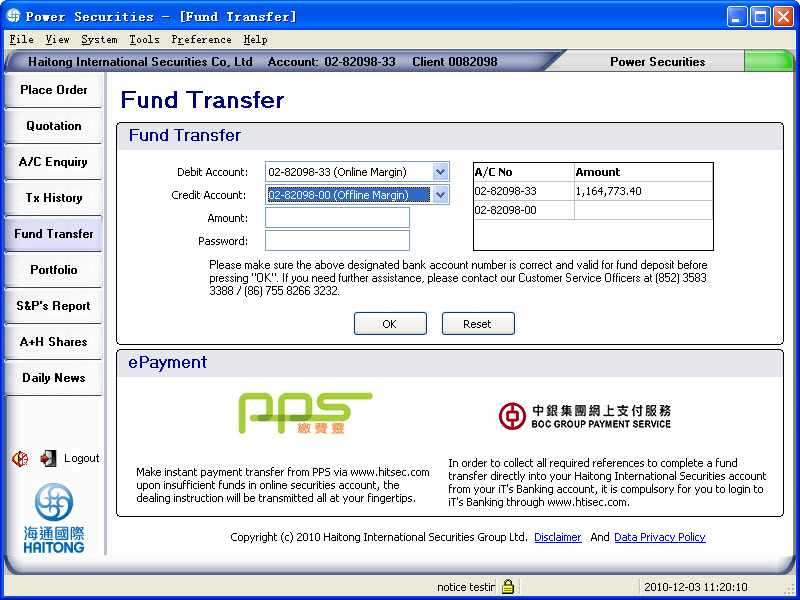
Then the BOC Fund Transfer page will be shown. Please choose the account number to be credited, enter the transfer amount and then press [Process].
E.g. choose the credit account (Transfer to):02-82098-33
Transfer amount:100
As below:
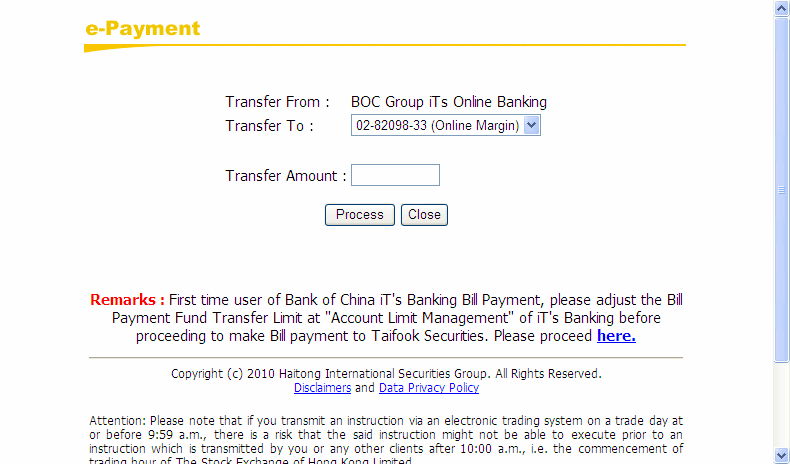
2.You can now enter the BOC Bill payment page. Please enter the user name and password and then press [Login] as below:
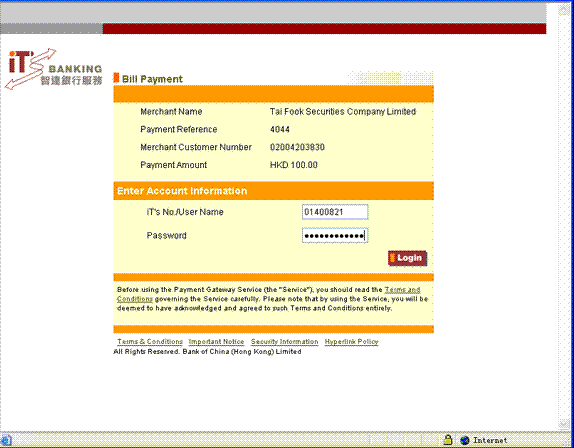
Notice:Please confirm your transfer amount in this page and do not change the ??Payment Amount?? and ??Payment Reference?? throughout the process. Otherwise, we cannot recognize your transaction.
3.After successful login, below bill payment page will be shown:
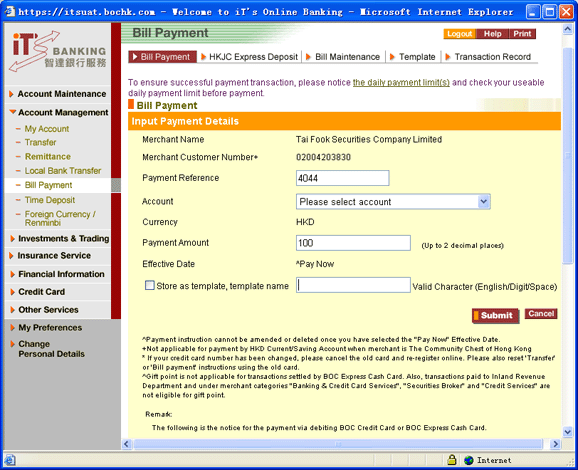
Select the debit account: E.g. HKD Savings account 012-873-1-004525-3
The Payment amount you entered before will be shown (You can change the amount here),
If you would like to save this bill payment as a template, you can choose [store as template] and enter the name of the template as below:
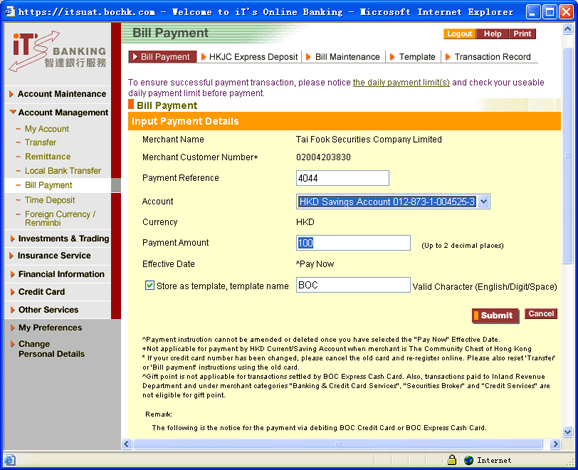
4.Press [submit] to reach the confirmation page as below.
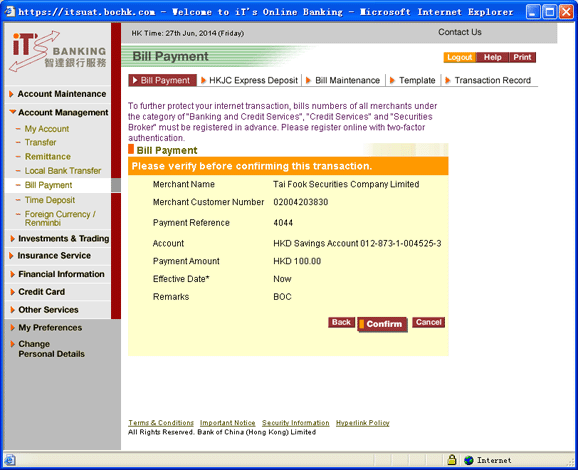
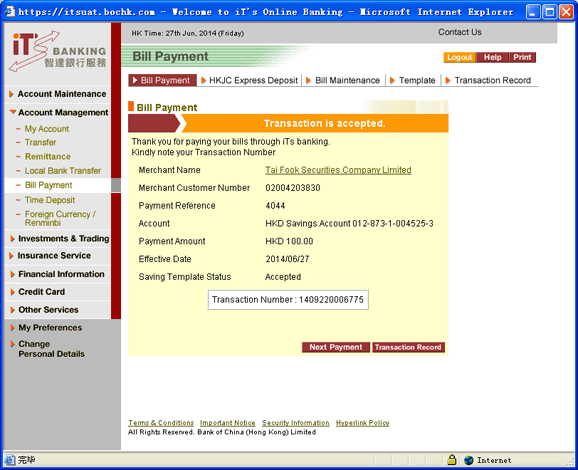
5.Press [confirm] to submit the instruction. If the fund transfer instruction is accepted, a transaction detail page will be shown as below:
 Reminder?G Reminder?G
|
 For the users who are using wireless network, the port of 8443 must be opened,
otherwise you will not be allowed to login by e-Cert and transfer through BOC
fund transfer.
For the users who are using wireless network, the port of 8443 must be opened,
otherwise you will not be allowed to login by e-Cert and transfer through BOC
fund transfer.