
| ?@ |  A/C
Enquiry A/C
Enquiry |
This section talks mainly about the general operation of [Account enquiry].
On the page of account enquiry, you can browse through account statement and stock position.
Pull down menu and select your account, the system will show up your capital
information and stocks position.
For example:selection acount:02-82098-33.
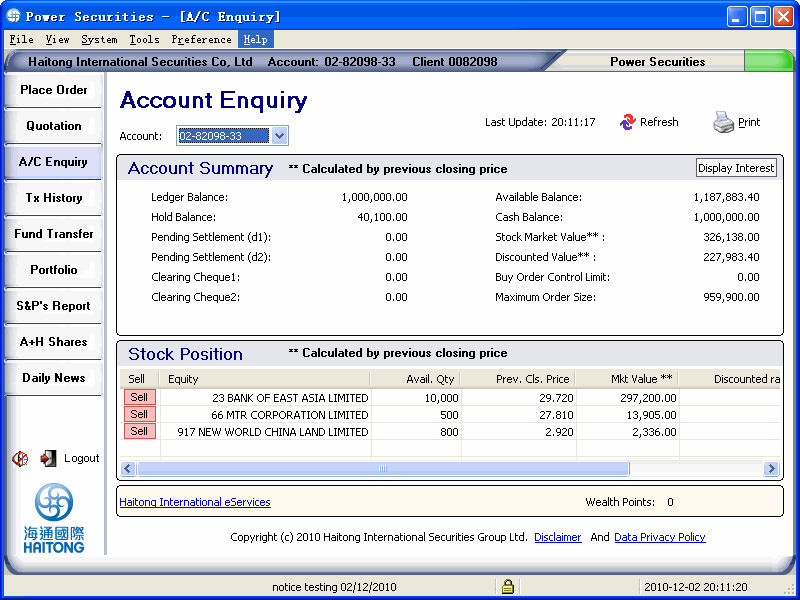
Press [Display Interest] button to view the accrual interest:
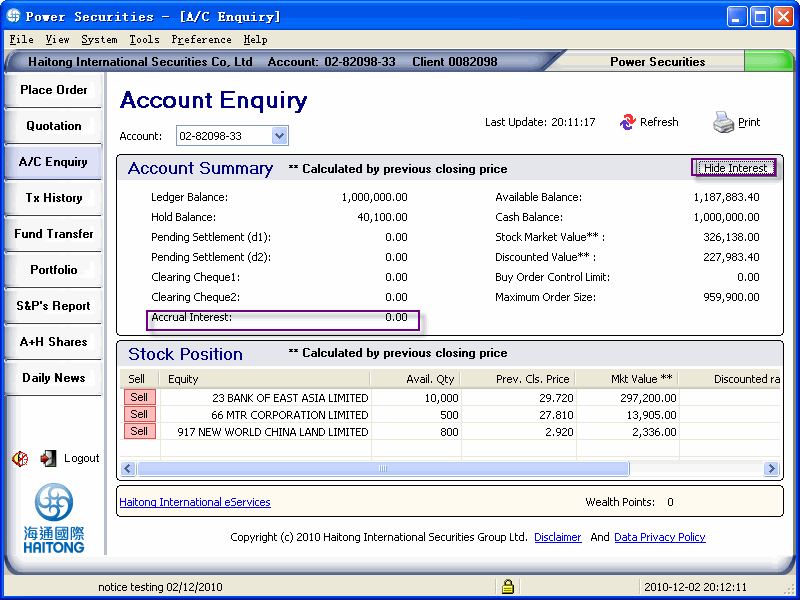
the page will recovery to the default page when page is refreshed:
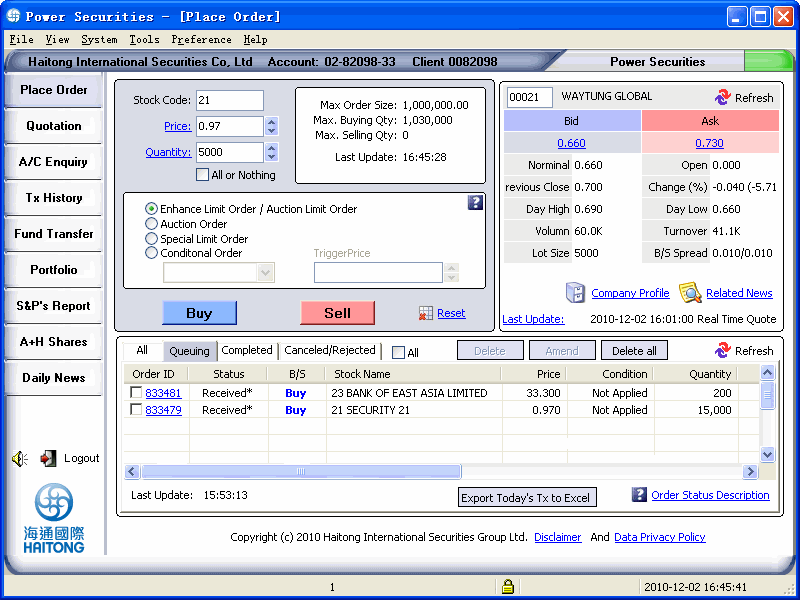
 The system allow you to sell the stock from Stock Position:
1. For example,sell the first record:21 BEAUFORTE
INV,Click the button of [Sell] or double click on one of the stocks record and enter to the selling
page (for online accounts only) and automatically fill in the stock number,
ask price (previous closing price will be selected by default), quantity
(usable quantity will be selected by default). You many also modify any
information before submitted.
2.This system provides the sorting function for stock position. Select a column for sorting the stock balance in sequence or descending order. The up arrow represents the order in sequence and the down arrow represents the descending order. Click [refresh] button for returning to descending order.
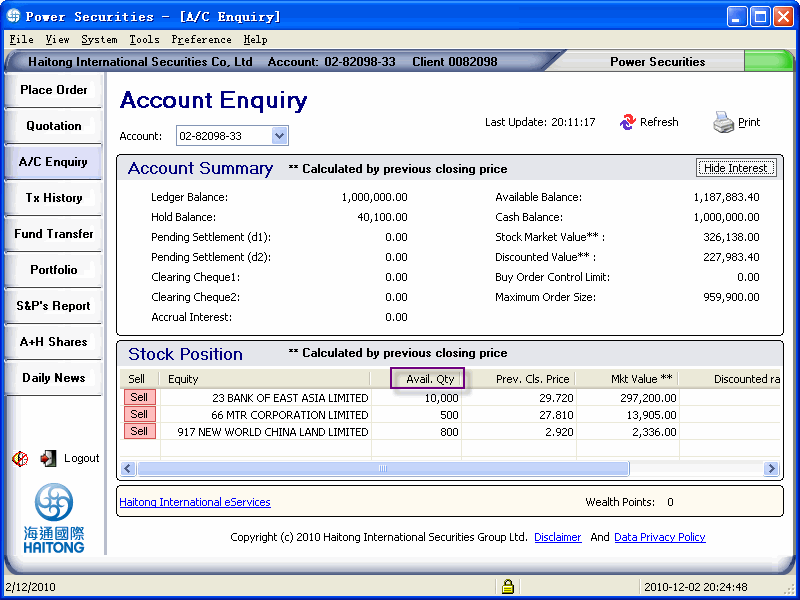
Account summary
Terms |
Definition |
| Ledger balance | Sum of cash balance & clearing cheque |
| Hold balance | The amount of freezed balance |
| Pending settlement (d1) | Stock settlement by next day |
| Pending settlement (d2) | Stock settlement by next 2 days |
| Clearing cheque 1 | Cheque settlement by next day |
| Clearing cheque 2 | Cheque settlement by next 2 days |
| Available balance | Balance available for purchasing stocks |
| Cash balance | Account cash balance |
| Stock market value | Stock value in storage according to the previous closing price |
| Discounted value | Stock discount value in storage according to the previous closing price |
| Buy order control Limit | The maximum amount of order (For electronic accounts only) |
| Maximum order size | The maximum amount of order according to the balance of client??s cash account and margin account |
Stock position
Terms |
Definition |
| Equity | Name of the stock |
| Avail.Qty | No. Of stock available |
| Prev.Cls.Price | Last closing price of stock |
| Mkt Value | Available quantity x Previous closing price |
| Discounted rate (%) | % Vary according to stock performance |
| Discounted value | Equals to Stock qty x previous closing price x discounted rate |
 Printing
The system provides you to print out your account details for reference. Click on [print] button in the [account enquiry] page. Select your preference for printing before
 Reminder?G
  For sorting order,
the up arrow represents the order in sequence and the down arrow represents
the descending order. Click [refresh] and the stock number will revive
in the sequence order. For stock position,
click [refresh] to restore the stock code in sequence order. Field which was
signed '**'in both Account Summary and Stock Position was calulated
by previous closing price. For sorting order,
the up arrow represents the order in sequence and the down arrow represents
the descending order. Click [refresh] and the stock number will revive
in the sequence order. For stock position,
click [refresh] to restore the stock code in sequence order. Field which was
signed '**'in both Account Summary and Stock Position was calulated
by previous closing price. |